Sleek, low profile design
Most keyboards including ergonomic models have a 10 degree positive slope from front to back. These designs tend to bend your wrists. The Freestyle2 has a zero degree slope which minimizes the height, effectively creating negative slope and reducing wrist extension. The slim design provides you a 2-in-1 office and travel keyboard.
Accommodates a wide range of individuals
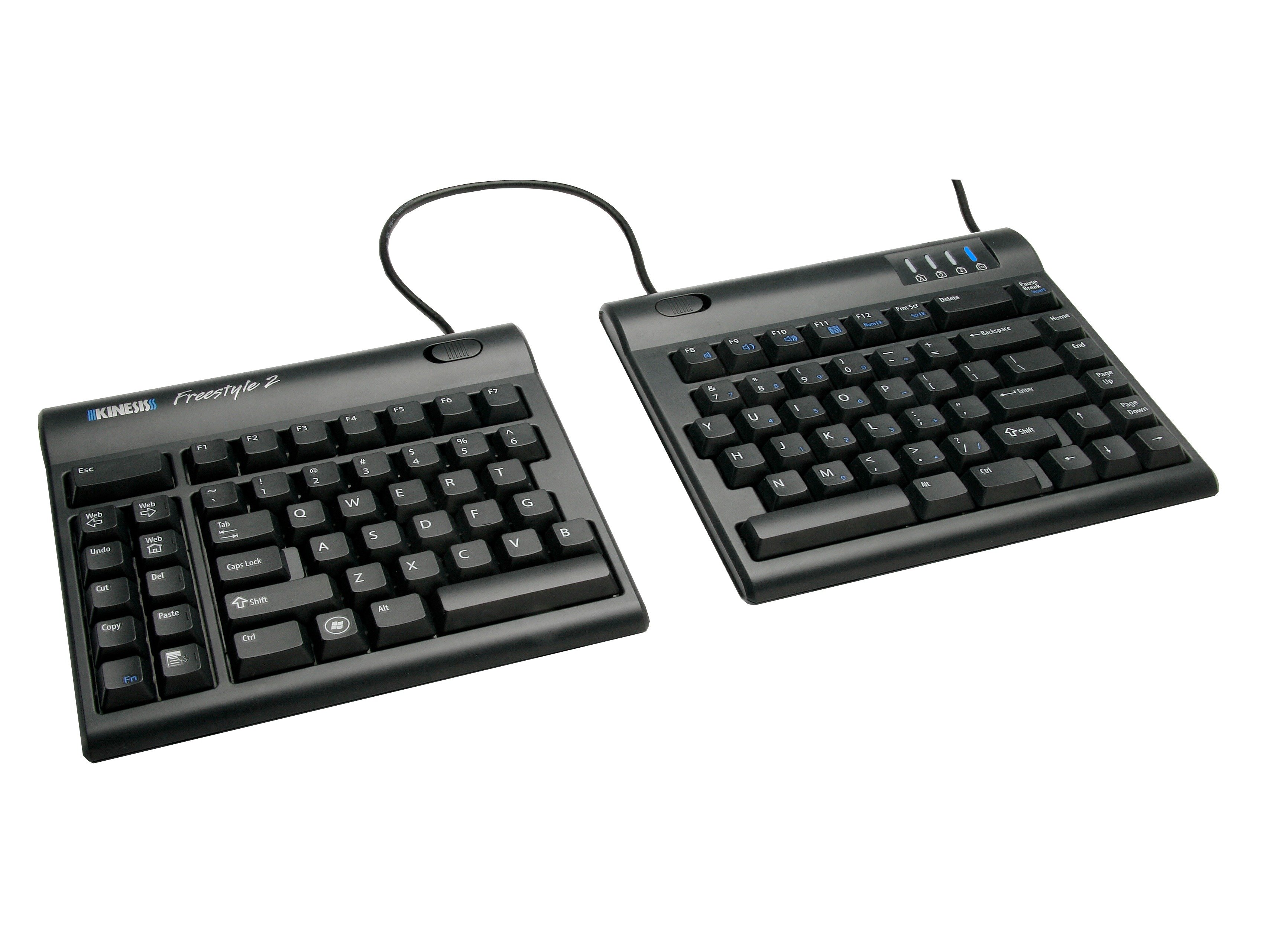
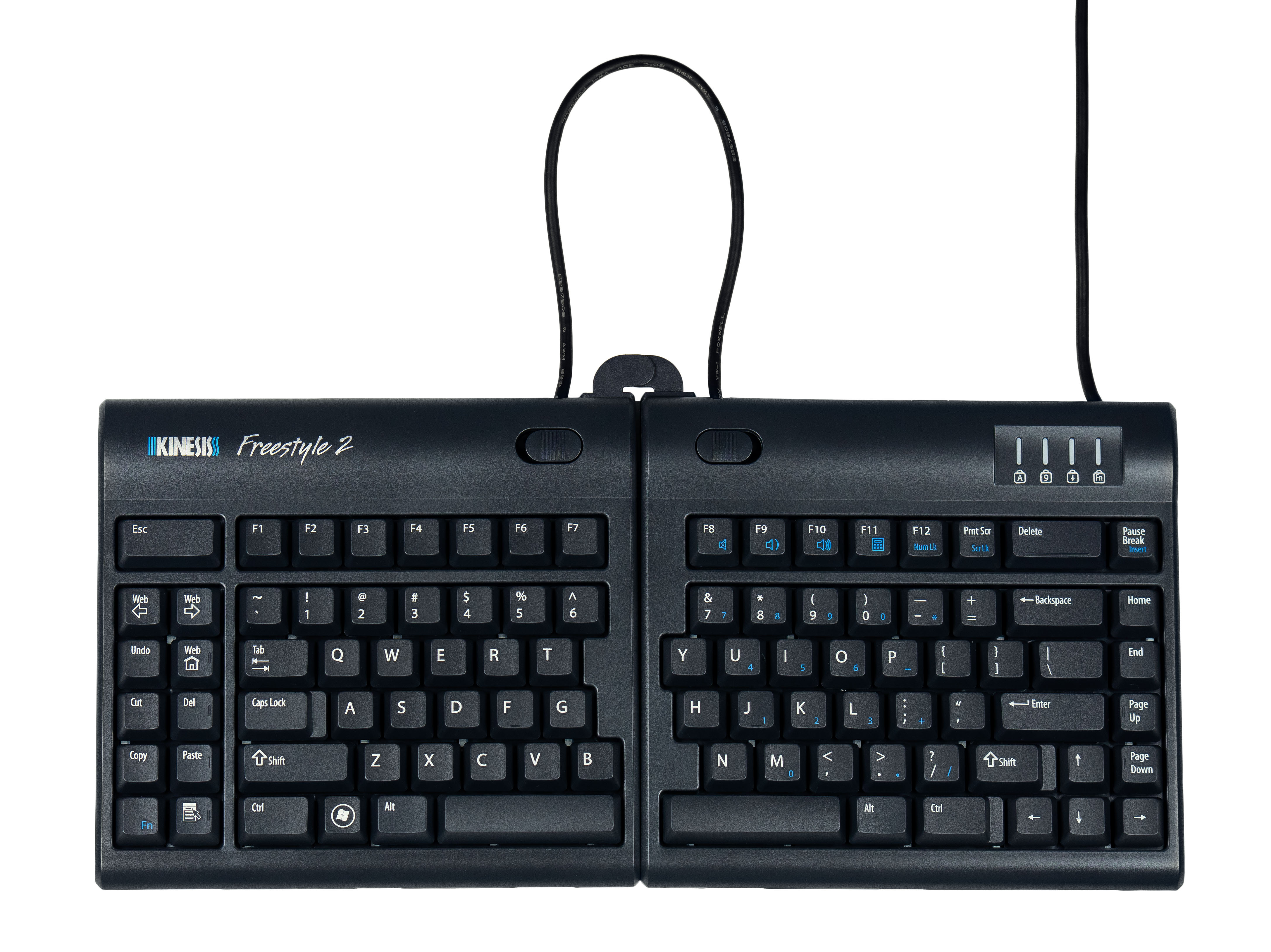
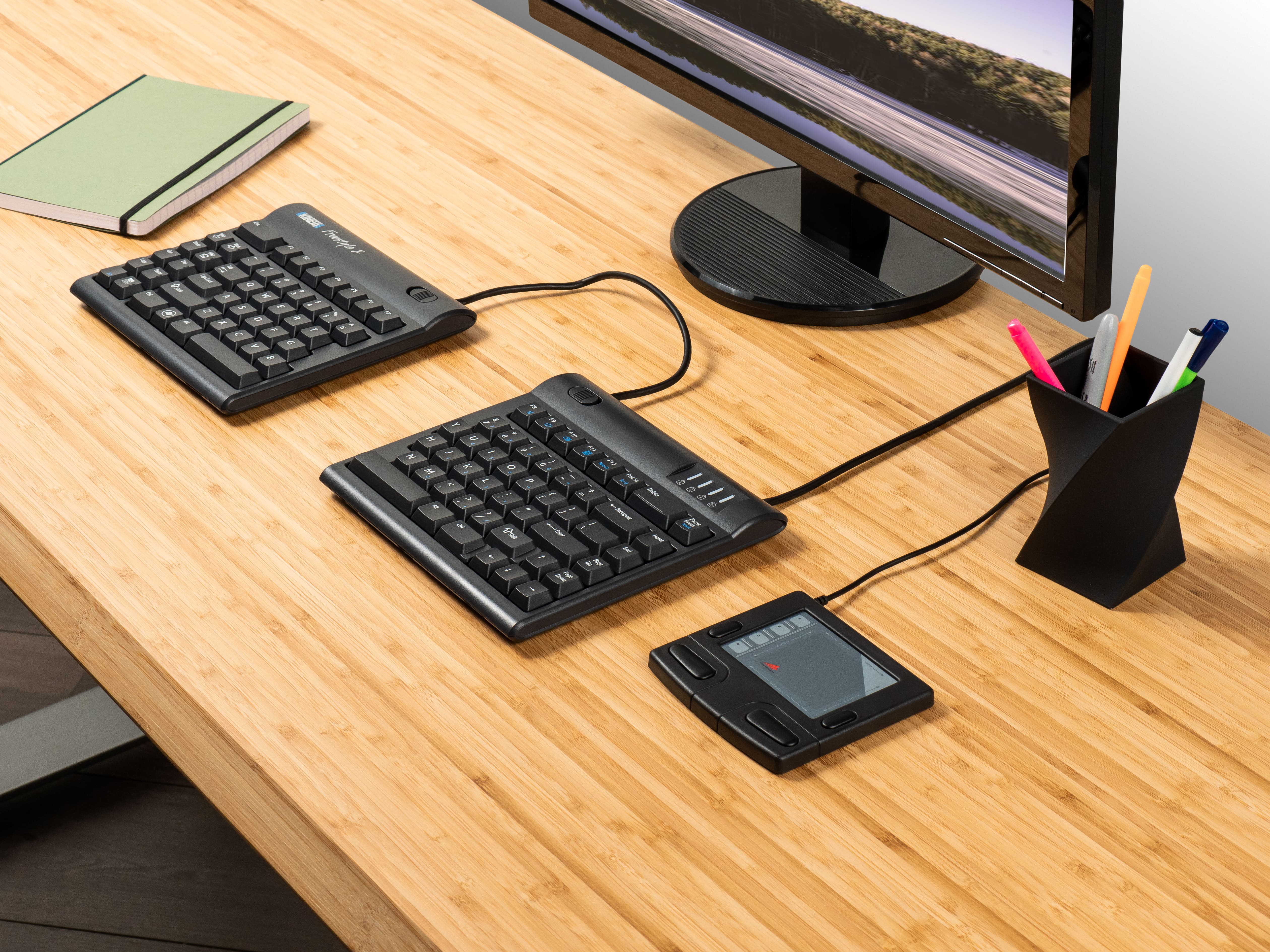
From small to tall and body types in between, the Freestyle2 allows for maximum flexibility catering to each individual’s unique needs. Out of the box both modules are connected together by a flexible pivot tether allowing an infinite range of splay. Disconnecting the pivot tether allows up to 9 inches of complete separation of both left and right keying modules. Perfect for individual needs ranging from a narrow footprint to complete separation. This design greatly reduces and or/eliminates ulnar deviation.
Optional palm supports
Optional padded palm supports reduce wrist extension by keeping wrists neutral.
Driverless hot keys
Driverless hot keys for commonly used mouse actions. (Internet Page Forward and Back, Undo, Web Home, Cut, Copy and Paste). A vertical rib is located on the inside row of hot keys to provide tactile notification to the user.
Compatible operating systems
Key switch
Dimensions
Dimensions with VIP3 accessory installed
Dimensions with V3 accessory installed
* Hot Keys for Linux, remote access, and terminal emulation: Hot keys on the PC Freestyle are designed for Windows and may not be supported by Linux & Sun systems or by some browsers. Some hot keys will not work if you are using terminal emulation or remote access. If you have questions about hot keys, contact Kinesis Technical Support: tech@kinesis.com

Freestyle2 VIP3 – provides adjustable slope (5, 10 and 15 degrees). Includes clip-on padded palm supports that must be attached in order to use V-lifters. Can be used with keyboard modules attached or separated. Compatible only with the Freestyle2.
Freestyle2 V3 – offers adjustable slope setting of 5, 10 and 15 degrees without the use of integrated palm supports (note: use the VIP3 accessory if palm supports are desired with tenting). Compatible with original Freestyle and Freestyle2.
Freestyle Ascent – offers more progressive slope settings between 20 and 90 degrees (in ten degree increments). Compatible with Freestyle and Freestyle2.
Each accessory enhances the core feature set of the Freestyle2 keyboard and attaches easily to its underside.
Click here to view a FS2 Accessory Decision Tree.
As an additional accessory, Palm Supports can be purchased and used when typing with the keyboard flat to promote neutral wrist posture. Replaceable palm pads included.
Because keyboarding is an intensely repetitive task, any reduction in key force can improve comfort and reduce the likelihood of injury. We were able to design a key switch for the Freestyle2 with a typical average key force of 45 grams, approximately 25% less than most other keyboards. The key switch is also very quiet and tactile.
We also recommend utilizing an adjustable keyboard platform such as the Kinesis Solution Platform System which properly positions the keyboard and other input devices at the correct height as well as offering adjustable negative tilt of the keyboard tray.
For purchases direct from Kinesis we offer a 60-day money-back guarantee less shipping and handling. Return policies differ among our dealers so customers should inquire as to their specific return policy.
Thank you for making my life much easier and less painful. I remain a happy and satisfied customer.
Thank you so much for making such a fine keyboard. It has honestly improved the comfort and safety of my work and I greatly appreciate it.
Using the Freestyle2 significantly reduced my RSI pain, when combined with adjustments to my posture and work habits. I love the split-keyboard, and I have switched to keeping my Apple Trackpad in the center of my desk, which allows me to use either right or left hand for mousing, which helps reduce overall mouse using hand/arm fatigue. After adjusting to the Kinesis Freestyle2, I drastically prefer it over traditional keyboards. Battery life for the bluetooth is really, really good.
The Kinesis Freestyle2 is the absolute best keyboard there is! While it may take a small amount of acclimation, it is absolutely worth it
</P
It took me about three weeks to get the Freestyle2 adjusted perfectly to match both of my use cases: programming and gaming. It allows me to be pain free when I spend long days in front of the computer programming and then transitioning to an evening of content creation and streaming. My favorite feature is, by far, the keys. The keys are the primary component of a keyboard and most manufacturers really mess up this fundamental aspect. I would especially recommend this to someone that is looking for an adjustable and ergonomic keyboard that doesn’t have wireless limitations or key travel problems. It packs all the right parts of a keyboard and ergonomics into a nice package.
I would absolutely recommend the Freestyle 2 keyboard. They’re reliable, fun to use, and extremely responsive. I love them!
I’m pretty rough on keyboards. I have several Microsoft keyboards and a Goldtouch for when I travel but I use the Kinesis Freestyle2 whenever I can.
The Freestyle2 is a very comfortable keyboard to use – and when you aren’t fussing over your keyboard you can get into the business of being a productive writer. The Freestyle2 is an excellent device on which to write and it only took me a couple of days to get acclimated.
As soon as I connected the keyboard to my Mac, I immediately felt at home with it. There was no needed adjustment time. It felt so much more natural to use. I actually enjoy typing again. My fingers are not cramped up together, my wrists are at a natural angle. I can use the keyboard for an extended amount of time now without the accumulating fatigue, soreness or pain. I find that I type much more rapidly and accurately than I have in a very long time. I love the added right and left-side hot keys, in addition to driverless hot keys at the top of the keyboard, all of which which add more convenience and versatility. I’m having fun with this!
I would recommend the Kinesis keyboards to both Mac users and its sister model to PC users. I am so impressed! I also am enthused that accessory kits can be purchased that provide risers or ‘V-Lifters’ to produce forward-angling of the keyboard, or even tenting, as well as padded arm rests; amazingly thoughtful design.
I recommend the Freestyle often and without reservation; I was afraid that my working life was going to be severely impacted by my not being able to use my hands and between Kinesis’s keyboard and my physical therapist I can now type without pain. It is probably the best investment I have made for my working health.
I would recommend the Freestyle to anyone that has thoracic spine/upper back/ shoulder problems and also to those who have bad posture, as I find that using a regular keyboard helps to amplify these issues. The freestyle is very comfortable and easy to use, and I suspect that it would help prevent similar spine/back/shoulder problems for those that regularly work at a computer but haven’t experienced issues yet.
– Heather, Postdoctoral Reasearcher
Fortunately for me, my wife discovered your Freestyle keyboard. The ability to independently rotate the halves laterally, and to differentially elevate the centerline, has allowed me to tailor the keyboard to conform to my relatively immobile right wrist. As my physical therapy has progressed I have been able to reconfigure the keyboard to complement my improving flexibility and range of motion.
Others who have tried my Kinesis Freestyle keyboard have been most impressed, reporting enhanced comfort and ease of use. I believe this keyboard to be an excellent product and a valuable tool for the modern office.”
– William H. Van Dusen, Jr., Attorney